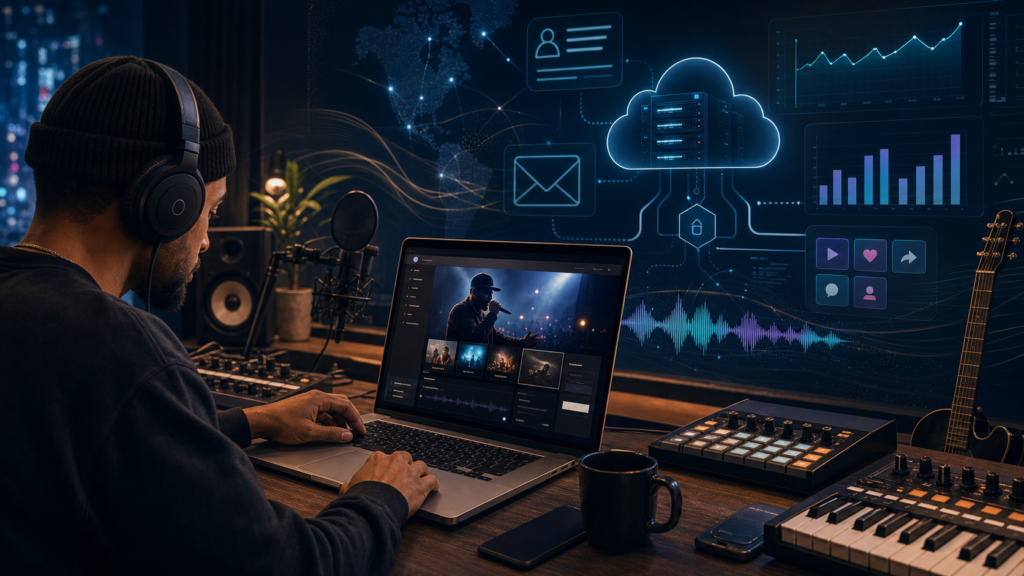

Apple Music for Artists in 2026: The Complete Guide
If your music is live on Apple Music, there is a free dashboard waiting for you that most independent artists either ignore or never claim. Apple Music for Artists is Apple’s official analytics and profile-management platform, and in 2026 it remains one of the more genuinely useful free tools in the streaming world: real listener data, Shazam signals, a customizable artist page, and a path to editorial playlist consideration, all at no cost.
This guide walks through what Apple Music for Artists actually is, how to get on Apple Music as a verified artist, what the analytics show you, how to pitch editorial playlists, and how Apple Music pays compared to Spotify. We will be honest about the limits too: Apple Music for Artists is a measurement and presentation tool, not a growth engine, and the numbers around payouts deserve more nuance than the headlines give them.
Table of Contents
- 1. What Apple Music for Artists Is
- 2. How to Claim and Verify Your Profile
- 3. The Analytics: Streams, Shazams & Listening Time
- 4. Pitching Apple Music Editorial Playlists
- 5. Customizing Your Artist Profile
- 6. How Much Does Apple Music Pay Per Stream?
- 7. Apple Music vs Spotify for Artists
- Frequently Asked Questions
1. What Apple Music for Artists Is
Apple Music for Artists is the free dashboard and companion iOS app that lets any artist with music live on Apple Music see how that music performs and control how their artist page looks. Think of it as Apple’s equivalent of Spotify for Artists: it bundles analytics, profile customization, promotional asset tools, and (for releases routed through a label or distributor) a path to pitch upcoming songs to Apple’s editorial team.
The core promise is data plus presentation. On the data side, you get stream counts, song purchases, real-time listener activity, Shazam counts, playlist adds, radio spins, and a geographic breakdown of where your audience sits. On the presentation side, you control your artist image, biography, and shareable milestone graphics. It also folds in Shazam, which Apple owns, making it one of the few dashboards that surfaces discovery intent rather than just consumption.
Best for: any released artist who wants to understand their real audience and present a polished page. It is free, and there is no downside to claiming it.
2. How to Claim and Verify Your Profile
Knowing how to get on Apple Music as a verified artist trips up a lot of people, so here is the sequence. Your music must already be distributed and live on Apple Music and iTunes before you can claim anything. Most artists find it is smoothest to wait until a release has been live for at least about five working days so Apple’s catalog has fully indexed it.
From there, the steps are straightforward:
- Sign in at the Apple Music for Artists website, or in the iOS app, using your Apple ID.
- Tap Request Artist Access, search for your artist name, and select one of your releases to confirm you are claiming the correct artist page.
- Provide as much verifying detail as you can, distributor connection, your website, and social accounts, to speed up Apple’s manual review.
One requirement catches people out: you must be credited as a primary artist on a release. If you appear only as a featured artist, producer, or songwriter, you will not be able to claim the profile or see the data. If your credits are wrong, that is a metadata fix you make through your distributor before claiming.
Verification is a human review on Apple’s side, so it is not instant. Connecting through your distributor is the fastest route, and many distributors can initiate or accelerate the claim for you.

3. The Analytics: Streams, Shazams & Listening Time
The Apple Music for Artists analytics are the reason most people log in, and they are genuinely good. The dashboard tracks stream counts, song purchases, listener counts (including minute-by-minute activity over the last 48 hours and a real-time view), radio spins, and playlist adds with their measurable impact on your numbers. You can also see where fans are by region, country, and city, and which playlists are actually driving streams.
The standout metric is Shazam. Because Apple owns Shazam, the dashboard shows how often people are identifying your songs in the wild, and that is the closest thing to a pure discovery signal you will find in any streaming dashboard. A track with a high Shazam-to-stream ratio is being heard somewhere it is not yet streamed, on the radio, in a video, in a café, in someone’s car, and listeners are curious enough to identify it. That is a strong cue about where unpaid attention is coming from, and a hint about which track to put promotional weight behind.
Listening-time and play-count data is useful for spotting which songs hold attention versus which get skipped, and the geographic view is practical for routing tours or targeting ads. Treat it as a measurement tool: it tells you what already happened with precision, but it does not move the numbers on its own.
4. Pitching Apple Music Editorial Playlists
Editorial playlists, the human-curated lists Apple’s team builds, are one of the biggest discovery levers on the platform, and you reach them through Apple Music Pitch. This is where Apple’s process differs sharply from Spotify’s, and it is important to be clear-eyed about it.
Apple Music Pitch is not available to individual artists directly. It sits inside Apple Music Connect and is accessible only to accounts with an Admin or Marketing Manager role, in practice, labels and distributors with iTunes Connect access. If you release through a distributor such as DistroKid, TuneCore, or CD Baby, your pitch route runs through them. Some distributors submit pitches automatically; others require you to request one or supply campaign details. Ask your distributor exactly how their pitch process works, because it varies.
Timing matters. For full editorial consideration, the release should be pitched at least 10 days before release date, with a final deadline around seven days out for late additions. A strong pitch leads with campaign and rollout details, focus track, mood, genre, language, release date, marketing moments, rather than a biography. And resist the urge to pitch every genre: pick where your music genuinely fits. Less, but more targeted, performs better.
There are no guarantees here. A pitch is a request, not a placement, and most pitches do not land an editorial slot. But pitching correctly and on time is free, and not pitching guarantees you are not considered.
5. Customizing Your Artist Profile
Your artist page is the first impression for anyone who taps your name, and Apple Music for Artists lets you control most of it. You can upload your artist image, add biographical details such as origin or band history, and shape how you present to listeners.
Apple’s image requirements are strict: high-resolution photos of at least 3000×3000 pixels, with no text overlays, logos, or explicit content. Refreshing your image to match each release cycle keeps the page current and signals you are active. If you do not have a written biography, you can complete a Q&A inside Artist Profile, naming influences and collaborators, that Apple uses to populate your page.
The dashboard also includes a Promote section that auto-generates shareable graphics for Instagram Stories, Facebook, and other platforms, with customizable templates and colors. It surfaces milestones, playlist features, stream thresholds, Shazam milestones, that you can share directly to social. It is a small touch, but it removes friction from the marketing busywork that artists usually skip.
6. How Much Does Apple Music Pay Per Stream?
This is the question everyone asks, so let us answer it honestly. How much does Apple Music pay per stream? There is no fixed, published per-stream rate, Apple, like every streaming service, pays from a pooled royalty model based on its total revenue and each artist’s share of total streams. Anyone quoting a single exact number is oversimplifying.
That said, the reported average from distributor royalty data in 2026 puts Apple Music roughly in the $0.007 to $0.01 per stream range, while Spotify’s reported average sits closer to $0.003 to $0.005. On a per-stream basis, Apple Music is frequently cited as paying roughly double Spotify. Treat these as reported averages, not promises: your actual rate varies by listener country, subscription tier, and the month’s revenue pool.
The reason Apple tends to pay more is structural rather than generous. Every Apple Music listener is a paying subscriber, there is no free, ad-supported tier dragging down the average. Spotify’s large free tier generates far less per listener, which pulls its blended per-stream figure down. That is the honest explanation behind the gap, and it is why the difference is durable rather than a temporary promotion.
7. Apple Music vs Spotify for Artists
The higher per-stream rate is real, but it is only half the story, and this is where artists make decisions on incomplete information. Apple Music has roughly one-seventh the user base of Spotify. So an artist with 10,000 monthly listeners on Spotify will typically see far fewer on Apple Music, even though each Apple play is worth more. Higher rate, smaller audience, those two facts pull in opposite directions.
The practical takeaway: this is not an either/or choice. Your distributor delivers to both, so you are on both regardless. What changes is where you focus promotion. Spotify’s algorithmic discovery (Radio, Autoplay, Discover Weekly) can scale reach faster; Apple Music’s editorial-heavy, human-curated approach and Shazam signal reward a more deliberate, campaign-led push. Use Spotify for Artists and Apple Music for Artists side by side, and let the data, not the per-stream headline, tell you where your real momentum is.
If you want the short version: Apple Music pays more per stream and gives excellent free analytics, especially Shazam; Spotify reaches more people and discovers you faster. Most artists should treat the two dashboards as complementary measurement tools rather than competitors.
Frequently Asked Questions
Is Apple Music for Artists free?
Yes. Apple Music for Artists is completely free for any artist with music live on Apple Music. There is no paid tier, and claiming your profile costs nothing.
How do I get on Apple Music as a verified artist?
Get your music distributed to Apple Music first, then sign in to Apple Music for Artists with your Apple ID, tap Request Artist Access, select one of your releases, and submit verifying details. You must be credited as a primary artist on a release to claim the page.
What do the Apple Music for Artists analytics show?
Stream counts, song purchases, real-time and minute-by-minute listener activity, Shazam counts, radio spins, playlist adds and their impact, plus listener location by region, country, and city.
How much does Apple Music pay per stream?
There is no fixed rate, but the reported average in 2026 is roughly $0.007 to $0.01 per stream, often cited as about double Spotify’s reported average. Your actual payout depends on listener country, subscription mix, and the monthly revenue pool.
Can I pitch my own songs to Apple Music editorial playlists?
Not directly. Apple Music Pitch is available only to labels and distributors with the right account role. If you are independent, pitch through your distributor, and submit at least 10 days before release for full consideration.
Is Apple Music or Spotify better for artists?
Apple Music pays more per stream and offers strong free analytics including Shazam; Spotify has a much larger audience and faster algorithmic discovery. You are on both via your distributor, so the practical question is where to focus promotion, not which to choose.
Written by Alex Tarlescu for Get More Streams. Some links in this article may be affiliate links, and this article was produced with AI assistance and human editing. This article is general information about streaming royalties and platform tools, not financial or legal advice; consult a qualified professional before making decisions about your music revenue or contracts. Per-stream figures are reported averages from third-party distributor data and are not guaranteed rates.