
Best Laptops for Music Production in 2026: Mac & Windows Picks
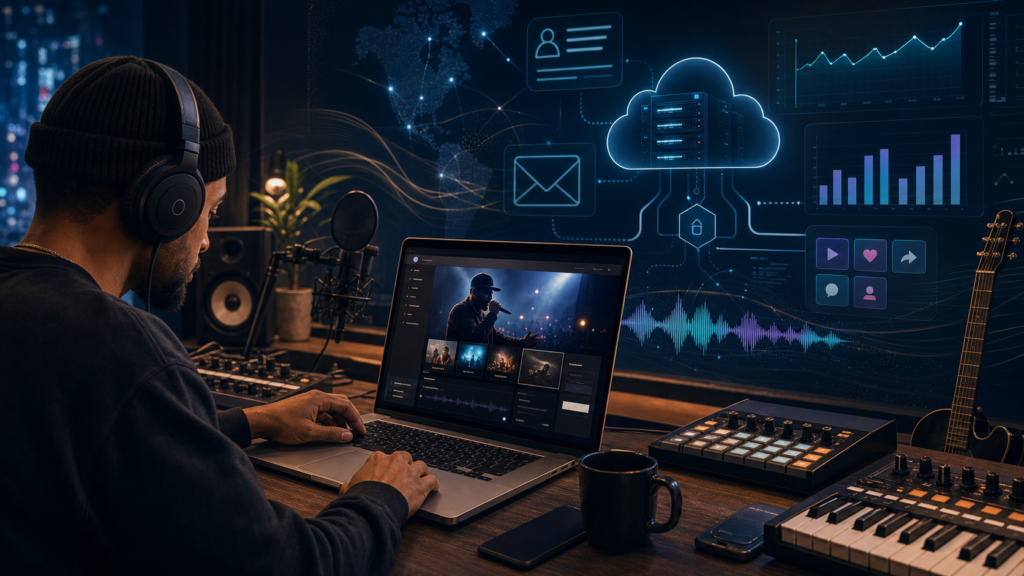
Your laptop is the single most important piece of gear in a modern studio — it is the recorder, the mixer, the sampler, and the rack of outboard effects all at once. So choosing the best laptop for music production in 2026 is less about benchmarks and more about whether the machine can hold a full session together at a low buffer without crackling, dropping out, or thermal-throttling halfway through a mix. The good news: the bar has finally moved in producers’ favor, because both Apple and the major Windows brands now ship 16GB of RAM as a baseline rather than an upsell.
We ran this guide the way we cover all gear at Get More Streams — we explain and compare, we don’t sell. Below you’ll find the specs that actually matter for a DAW, then our picks for the best laptops for music production grouped by budget and by platform, including the best MacBook for music production for different workflows and the best budget laptop for music production if you’re building a first home studio. We’re honest about the trade-offs too — chiefly that Apple’s RAM is soldered and can never be upgraded, which is exactly why we treat 16GB as a hard floor.
Table of Contents
- What Actually Matters in a Music Production Laptop
- Mac vs Windows for Music Production
- 1. Apple MacBook Air (M4) — Best Overall Value
- 2. Apple MacBook Pro (M4 Pro / M5) — Best MacBook for Music Production
- 3. Dell XPS 16 — Best Premium Windows Laptop
- 4. ASUS ProArt P16 — Best Windows Creator Laptop
- 5. Razer Blade 16 — Best Upgradeable Windows Workstation
- 6. ASUS Vivobook S 16 — Best Mid-Range Windows Pick
- 7. Acer Aspire 5 — Best Budget Laptop for Music Production
- How to Choose: Quick Buyer’s Guide
- Frequently Asked Questions
What Actually Matters in a Music Production Laptop
Before the picks, here’s what to weigh — in roughly the order that affects real session performance.
CPU. A DAW leans on single-core speed for the audio engine and on multiple cores for big track counts and rendering. On Mac, any Apple silicon chip (M-series) is plenty; the jump to a Pro/Max chip buys you more cores for orchestral templates and large plugin chains. On Windows, aim for at least an Intel Core Ultra 5 / Ryzen 5, and ideally a Core Ultra 7 / Ryzen 7, for serious work.
RAM — 16GB minimum, full stop. Sample libraries, soft synths, and dozens of plugin instances live in memory. 8GB is no longer viable for anything beyond a sketchpad. 16GB is the sensible floor for most producers; 24–32GB is the comfortable choice if you run large sample-based templates (Kontakt, orchestral libraries, Superior Drummer). This is doubly important on a Mac, where memory is soldered to the chip and cannot be upgraded later — you buy the RAM you’ll need for the life of the machine on day one.
Storage. Get an NVMe SSD, and don’t go below 512GB if you can help it. Sample libraries are enormous and project files multiply fast. On Macs, SSD upgrades are also non-user-serviceable, though you can offload libraries to a fast external Thunderbolt/USB drive.
Screen. Mixing across many tracks benefits from screen real estate and resolution. A 14–16-inch panel at high resolution is the sweet spot; OLED panels look gorgeous but can be glossy under studio lighting.
Ports. A USB-C/Thunderbolt port for your audio interface is the one non-negotiable. An HDMI port and SD slot are convenient; if a laptop is port-thin (as many thin-and-lights are), budget for a small dock.
Battery and noise. Fanless or quiet machines matter if you record audio in the same room as the laptop — fan noise leaks into vocal and acoustic takes. Apple silicon dominates on both battery life and silent operation.

Mac vs Windows for Music Production
There’s no universally correct answer, only the right fit for your workflow. Macs win on performance-per-watt, near-silent fanless or low-fan operation, long battery life, and rock-solid Core Audio drivers — and Logic Pro is Mac-only, which settles it for many. The catch: you pay a premium, and RAM/SSD are fixed at purchase forever.
Windows laptops win on value, hardware variety, and — on select models — upgradeable RAM and storage, so you can start modest and expand. The trade-off is more variability in audio-driver stability and battery life, and you’ll want to manage power plans and ASIO drivers to get the lowest latency. If you use FL Studio, Ableton Live, Studio One, or Reaper, both platforms serve you equally well.
1. Apple MacBook Air (M4) — Best Overall Value
Best Known For: Silent, fanless production with all-day battery at the lowest Apple price.
Best for: Bedroom and mobile producers who want the Mac ecosystem without Pro money.
The 2025 MacBook Air with the M4 chip is the easiest laptop to recommend to most producers. Apple finally made 16GB of unified memory the standard across the line, with the 13-inch starting at $999 and the 15-inch at $1,199. The M4 handles surprisingly heavy sessions — 50-plus tracks in Logic Pro with multiple virtual instruments is well within reach — and because the Air is fanless, it makes zero noise during a vocal take.
For sample-heavy work you can configure up to 24GB or 32GB of unified memory at checkout, which is the smart move given the RAM is soldered. Pair it with an external SSD for your libraries and the Air becomes a genuinely capable studio machine.
- Pros: Fanless and silent; excellent battery; 16GB base RAM; the best value entry into Mac/Logic.
- Cons: RAM and SSD are not upgradeable later; fewer ports than the Pro; sustained heavy loads can taper without active cooling.
2. Apple MacBook Pro (M4 Pro / M5) — Best MacBook for Music Production
Best Known For: Pro-grade headroom for big templates, plus a full port array and the best screen on a laptop.
Best for: Professional producers, composers, and mixers running large sample libraries.
If you want the outright best MacBook for music production, the MacBook Pro is it. The base 14-inch starts at $1,599 with the M4 chip, 16GB of RAM, and a genuinely useful port selection — three Thunderbolt ports, HDMI, an SD card slot, a headphone jack, and MagSafe. Apple has since refreshed the line with M5-class chips, so check current configurations, but the formula is the same: more cores, more memory bandwidth, and active cooling for sustained sessions.
For most working producers, a 14-inch MacBook Pro with an M4 Pro-class chip and 24GB of RAM is the balance point — enough headroom for projects to grow without paying for the top-end Max. Step up to the M-series Max with 16-inch screen, 36GB+ of RAM, and up to roughly 24 hours of battery if you live in orchestral templates or mix all day.
- Pros: Sustained performance under load; superb XDR display; complete ports; long battery; quiet even when working hard.
- Cons: Expensive once you add RAM; soldered, non-upgradeable memory and storage; heavier than the Air.

3. Dell XPS 16 — Best Premium Windows Laptop
Best Known For: The closest Windows rival to the MacBook Pro for serious DAW work.
Best for: Windows loyalists who want premium build quality and high-end power.
The Dell XPS 16 is widely treated as the MacBook Pro’s direct Windows competitor. Powered by Intel Core Ultra processors and discrete NVIDIA graphics, it chews through complex VST chains and heavy processing, and the large high-resolution display is excellent for spreading out a busy mix. Configure it with at least 16GB of RAM (preferably 32GB) and a roomy NVMe SSD.
It’s a premium-priced machine, and the minimalist port layout means most producers will add a dock or hub for an interface plus peripherals. But for power and polish in the Windows camp, it’s a benchmark.
- Pros: Strong CPU/GPU; gorgeous large display; premium chassis; great for mixing real estate.
- Cons: Pricey; limited built-in ports; battery and fan behavior trail Apple silicon.
4. ASUS ProArt P16 — Best Windows Creator Laptop
Best Known For: A creator-focused workstation with a stunning OLED screen that doubles for video.
Best for: Producers who also edit video or need maximum multi-app power on Windows.
The ASUS ProArt P16 is built for creative professionals and delivers phenomenal performance for music production while doubling as a capable video-editing machine. The 16-inch 4K OLED panel is razor-sharp — even dated DAW interfaces look crisp — though, like most OLEDs, it’s glossy, so you’ll fight reflections in a bright room.
Spec it with a Ryzen AI / Core Ultra processor, 32GB of RAM, and a large SSD and it handles plugin-dense projects without complaint. It’s a premium buy, but a versatile one if your work spans audio and video.
- Pros: Excellent sustained performance; superb OLED display; great for hybrid audio/video creators.
- Cons: Glossy screen; premium price; OLED reflections in bright studios.
5. Razer Blade 16 — Best Upgradeable Windows Workstation
Best Known For: MacBook-class build with a major advantage Apple won’t give you: upgradeable RAM.
Best for: Producers with huge sample libraries who want to expand memory over time.
Don’t dismiss the Razer Blade 16 for its gaming branding — it’s one of the few Windows laptops that matches the MacBook Pro’s unibody aluminum build and pairs it with top-tier specs. Its standout for our purposes is upgradeable RAM (high-end configurations support up to 96GB), which is a real edge over any MacBook if you plan to grow into massive orchestral or Kontakt libraries.
The trade-offs are the usual gaming-laptop ones: fans that can spin up under sustained load (mind that during recording), shorter battery life than Apple silicon, and a premium price. But as a future-proof Windows workstation, few laptops match its ceiling.
- Pros: Premium build; very high performance; upgradeable RAM up to 96GB; strong for sample-heavy work.
- Cons: Fan noise under load; shorter battery; expensive.
6. ASUS Vivobook S 16 — Best Mid-Range Windows Pick
Best Known For: Handling heavy VST processing without thermal throttling at a mid-range price.
Best for: FL Studio and Ableton producers who want strong value on Windows.
The ASUS Vivobook S 16 is a frequent recommendation for mobile producers because its AMD Ryzen AI processor sustains heavy VST processing without thermal throttling — the failure mode that ruins cheaper laptops mid-session. With 16GB of RAM (configurable higher) and a large 16-inch screen, it’s a comfortable, capable everyday production machine that costs well under the premium tier.
- Pros: Strong sustained performance for the price; large screen; good port selection; solid value.
- Cons: Build and display aren’t premium-tier; battery is average.
7. Acer Aspire 5 — Best Budget Laptop for Music Production
Best Known For: The most DAW horsepower per dollar — the value champ for first studios.
Best for: Serious beginners and intermediates who want future-proofing without overspending.
If you want the best budget laptop for music production, the Acer Aspire 5 is the all-around value pick. A configuration with a Ryzen processor, 16GB of RAM, and an NVMe SSD lands around the $650 mark and outperforms most rivals at that price — in testing it ran a 20-track project comfortably at a low 64-sample buffer, which cheaper machines can’t manage. The similarly priced ASUS Vivobook 15 with a Ryzen 5 and 16GB of DDR4 is a close alternative, handling a 24-track Ableton session at a 256-sample buffer without strain.
You’re giving up premium build, display quality, and battery life at this price — but for a first home studio that needs 16GB of RAM and a real SSD, it’s hard to beat. Many budget Windows laptops also let you add RAM or storage later, extending the machine’s life.
- Pros: Excellent value; 16GB RAM + NVMe at a low price; often upgradeable later; capable at low buffers.
- Cons: Basic build and screen; modest battery; not for heavy orchestral templates.

How to Choose: Quick Buyer’s Guide
By budget:
- Entry / budget (~$600–$1,000): Acer Aspire 5 or ASUS Vivobook 15 on Windows; MacBook Air M4 (13-inch, $999) if you want Mac/Logic.
- Mid-range (~$1,000–$1,800): MacBook Air M4 (15-inch) or base MacBook Pro 14 ($1,599) on Mac; ASUS Vivobook S 16 on Windows.
- Pro (~$1,800+): MacBook Pro with M-series Pro/Max chip; Dell XPS 16, ASUS ProArt P16, or Razer Blade 16 on Windows.
By platform: Choose Mac for silent operation, battery, driver stability, and Logic Pro; choose Windows for value, hardware choice, and (on select models) upgradeable RAM. Whatever you pick, treat 16GB of RAM as the minimum and 24–32GB as the target if you run large sample libraries — and remember that on a Mac, you can’t add more later.
Frequently Asked Questions
What are the best laptops for music production in 2026?
For most people the MacBook Air M4 is the best all-round value, while the MacBook Pro is the best laptop for music production if you need pro-level headroom. On Windows, the Dell XPS 16, ASUS ProArt P16, and Razer Blade 16 lead the premium tier, with the Acer Aspire 5 as the budget standout.
What is the best laptop for music production on a budget?
The Acer Aspire 5 with 16GB of RAM and an NVMe SSD is the best budget laptop for music production, typically around $650. The ASUS Vivobook 15 is a close second. Both comfortably run mid-sized DAW projects, which 8GB machines cannot.
What is the best MacBook for music production?
The MacBook Pro with an M-series Pro chip and 24GB of RAM is the best MacBook for music production for serious work. If budget matters more, the MacBook Air M4 — now with 16GB of RAM as standard — handles most sessions silently and is the better value.
How much RAM do I need for music production?
16GB is the realistic minimum in 2026. Step up to 24–32GB if you use large sample libraries or run many plugin instances. On a MacBook the RAM is soldered and can’t be upgraded, so buy what you’ll need up front; some Windows laptops (like the Razer Blade 16) let you add RAM later.
Is Mac or Windows better for music production?
Neither is universally better. Macs offer silent operation, long battery life, stable Core Audio drivers, and Logic Pro. Windows offers more value, more hardware variety, and upgradeable RAM on some models. FL Studio, Ableton, Studio One, and Reaper run great on both.
Do I need a dedicated graphics card for music production?
No. A DAW is CPU- and RAM-bound, not GPU-bound. A discrete GPU only matters if you also do video editing or 3D work. Prioritize CPU, RAM, and a fast SSD instead.
Some links in this article may be affiliate links, which means Get More Streams may earn a small commission if you make a purchase — at no extra cost to you. This article was produced with AI assistance and human editing, and every product, specification, and price was verified against manufacturer and retailer sources at the time of writing; prices and configurations change, so confirm current details before buying.
Written by Alex Tarlescu for Get More Streams.